 Download via Ko-fi
This version of the Wurst Hacked Client is available for Minecraft 26.2.
Changelog
-
“Filter hostile mobs” settings now also count killer bunnies (previously passive).
-
“Filter neutral mobs” settings now also count goats, nautiluses, zombie nautiluses, and pandas with the aggressive personality (all previously passive).
-
“Filter passive mobs” settings now also count allays, villagers, wandering traders, snow/copper golems, sulfur cubes (all previously had no category), player-built iron golems, baby piglins, and tiny green slimes (all previously neutral).
-
“Filter passive water mobs” settings now also count turtles.
-
Renamed “Filter sleeping” to “Filter sleeping players” and “Filter flying” to “Filter flying players”.
-
Wurst now generally treats mannequins as players for better compatibility with servers that use them.
-
Mannequins now show up in PlayerESP instead of MobESP and Radar now colors mannequins like players.
-
“Filter players” now also counts mannequins (previously nothing could filter them out).
-
“Filter sleeping players” / “Filter flying players” now also count mannequins, so they can keep filtering out decorative corpses / anti-cheat bots regardless of how servers implement them.
-
Killaura and other melee combat hacks can now attack interaction entities. (/d/837)
-
MobESP and Radar can now show interaction entities.
-
Follow and RemoteView can now follow and remote-view interaction entities.
-
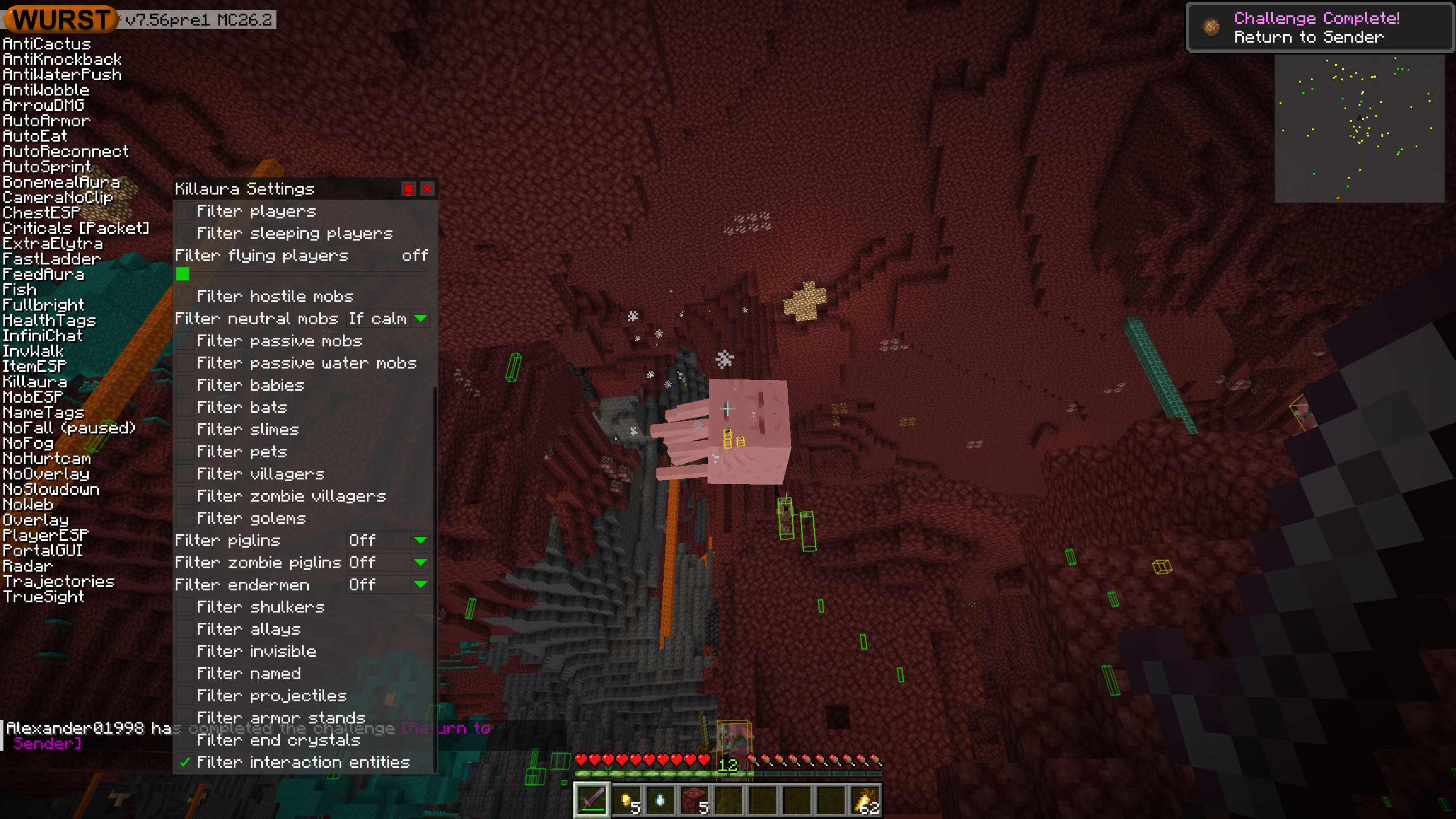
Added a “Filter interaction entities” setting, which is on by default for combat hacks, Follow, and RemoteView, and off by default for ESP hacks.
-
Killaura and other melee combat hacks can now attack ghast fireballs and wind charges.
-
Replaced all “Filter shulker bullets” settings with “Filter projectiles”, which also affect ghast fireballs and wind charges.
-
Added a “Filter neutral mobs” setting to Radar (off by default). Neutral mobs are now shown in yellow.
-
“Filter babies” settings now work more like vanilla’s golden dandelion, counting babies that normally age instead of babies that are passive. Baby hoglins now count and baby skeleton/zombie horses now only count in Minecraft versions where they age. Baby villagers still count and datapacks changing
#minecraft:cannot_be_age_lockedstill have no effect on this filter. -
“Filter pets” settings now also count allays, player-built golems, age-locked babies, and most bucket-released mobs as pets. Tadpoles only count if age-locked, and sulfur cubes with a block inside don’t count.
-
Entity filter settings with an “If calm” option now have improved anger detection for wolves, bees, endermen, and adult zombified piglins, and added detection for ramming goats and attacking pandas. Nautiluses are always filtered out by “If calm” because their aggression can’t be detected. Baby zombified piglins are unchanged because the new anger detection method doesn’t work for them.
-
Updated the tooltips of various entity filter settings to be clearer about which mobs count and how “If calm” works.
-
All of Wurst’s entity filter setting tooltips are now translatable.
-
Added automated tests to help catch when future Minecraft updates break these mob classifications or the “If calm” anger detection logic.
Included Features
Default Keybinds (14)
These are the default keybinds when you first install Wurst. All of them are fully customizable!
- B → FastPlace & FastBreak
- C → Fullbright
- G → Flight
- ; → SpeedNuker
- H → /home
- J → Jesus
- K → MultiAura
- N → Nuker
- R → Killaura
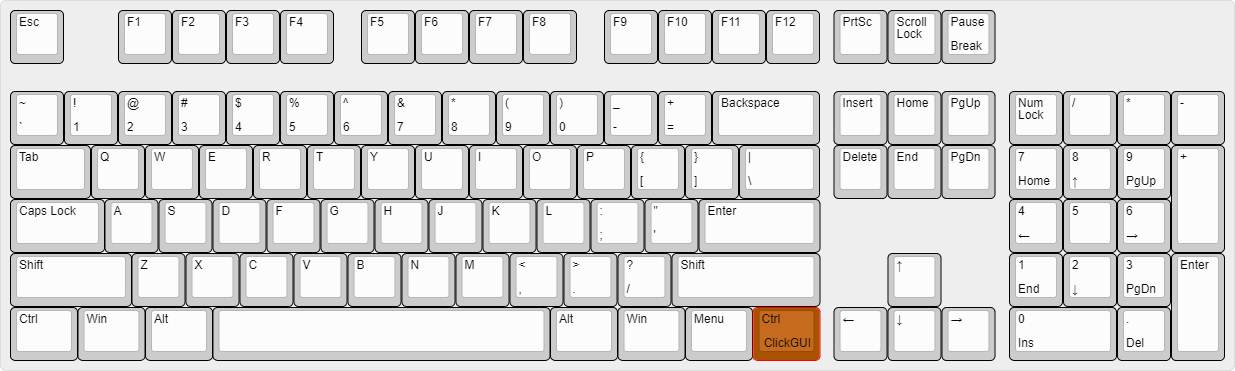
- Right CTRL → ClickGUI
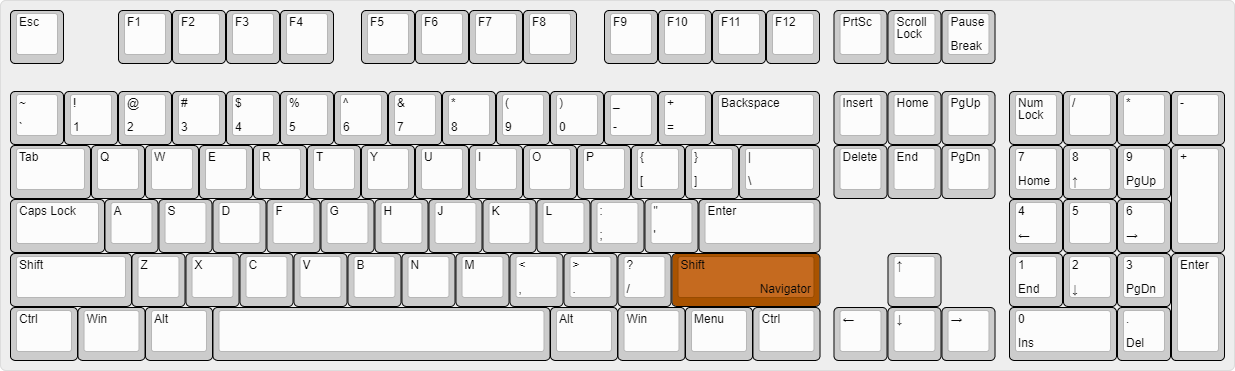
- Right SHIFT → Navigator
- U → Freecam
- X → X-Ray
- Y → Sneak
GUIs (3)
Wurst has more than just one GUI. You can choose whichever one you like best.
ClickGUI
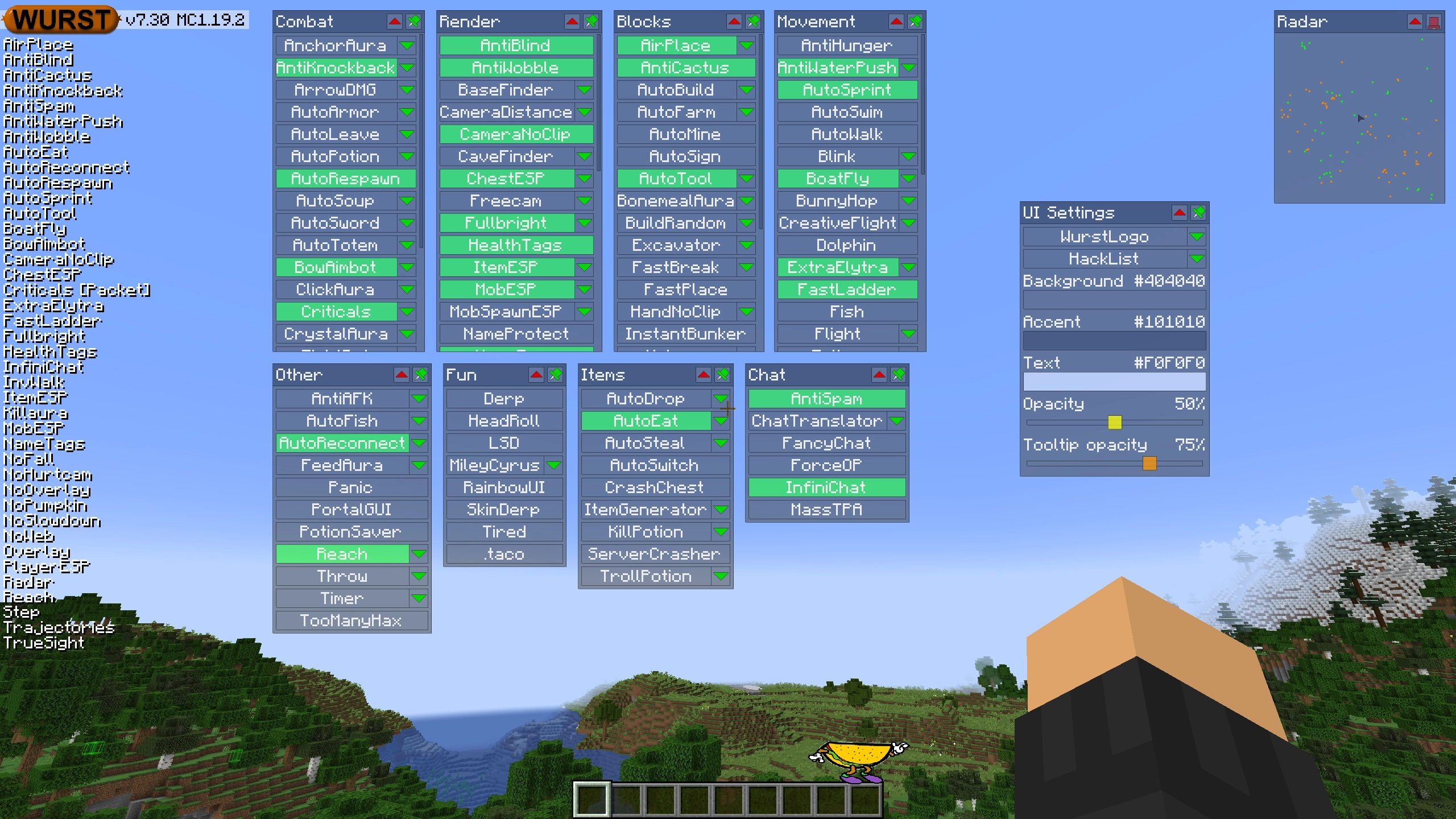
ClickGUI opens with the Right CTRL key. When opened, it displays a window for each category, which then contains a list of every feature in that category.
Navigator
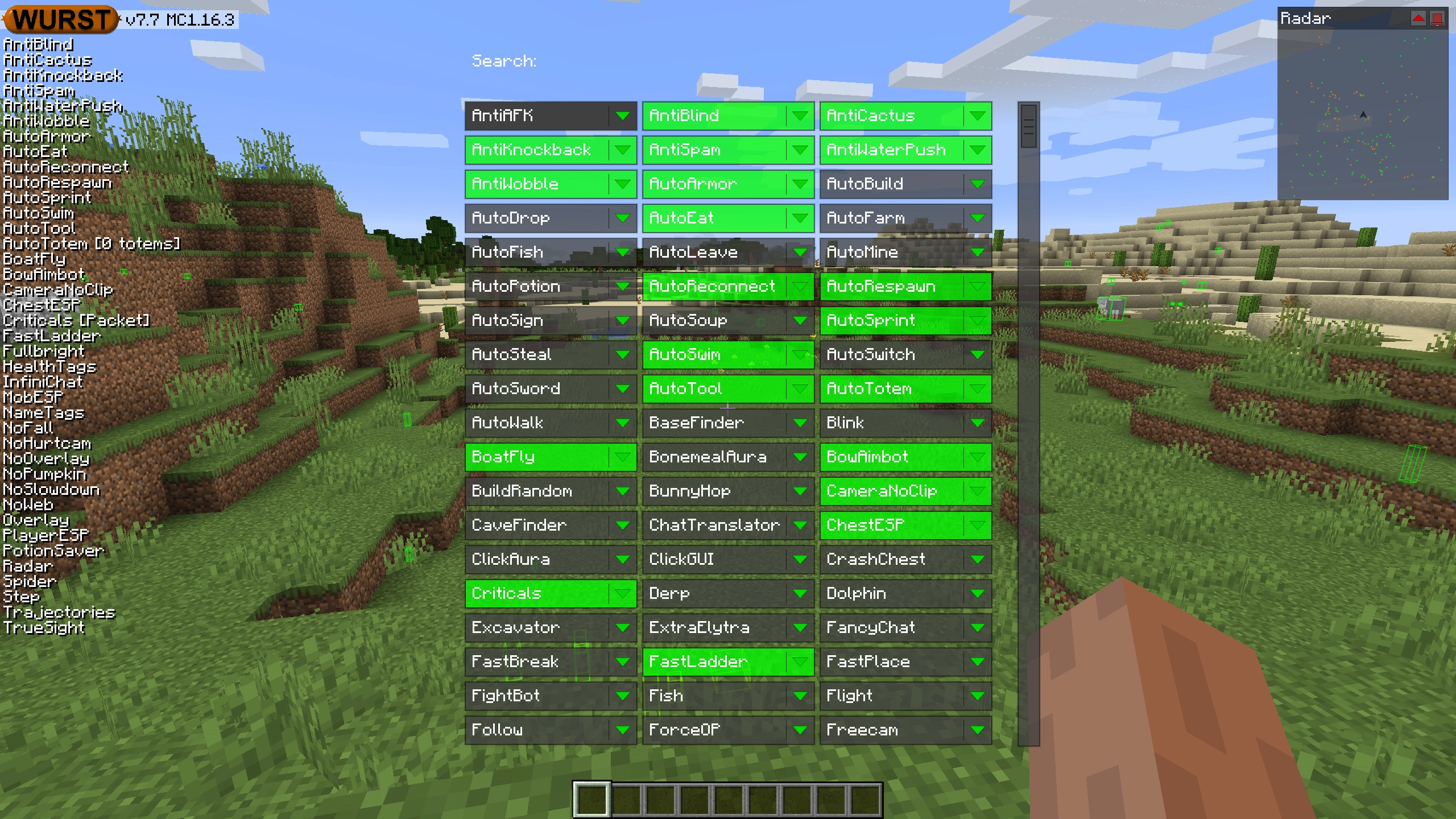
Navigator opens with the Right Shift key. When opened, it displays a searchable list of every feature in Wurst.
TabGUI
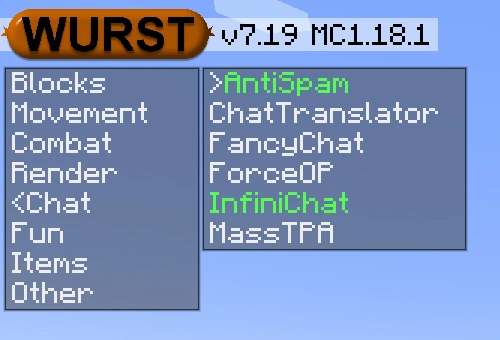
TabGUI does not have a default keybind. You can enable it by opening the Navigator GUI and searching for "TabGUI" (don't worry, you only need to do this once).
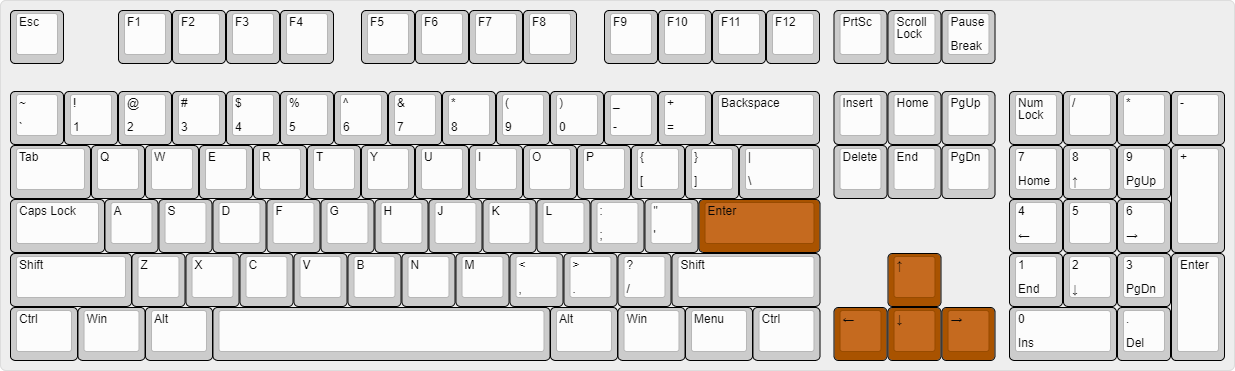
Once enabled, you can use TabGUI with the Arrow Keys to change the selection and Enter to toggle the selected feature.
Supported Languages (15)
Translations are unfinished and thus disabled by default. Go to Wurst Options → Translations to enable them.
- Chinese (Simplified/Mainland)
- Chinese (Traditional/Taiwan)
- Chinese (Cantonese/Hong Kong)
- Czech
- English (US)
- French
- German
- Italian
- Japanese
- Korean
- Polish
- Romanian
- Russian
- Turkish
- Ukrainian