This version of the Wurst Hacked Client is available for Minecraft 26.2, 26.1.2 and 1.21.11, as well as 11 different snapshots ranging from 26.3-snapshot-6 to 26.2-pre-4.
Changelog
-
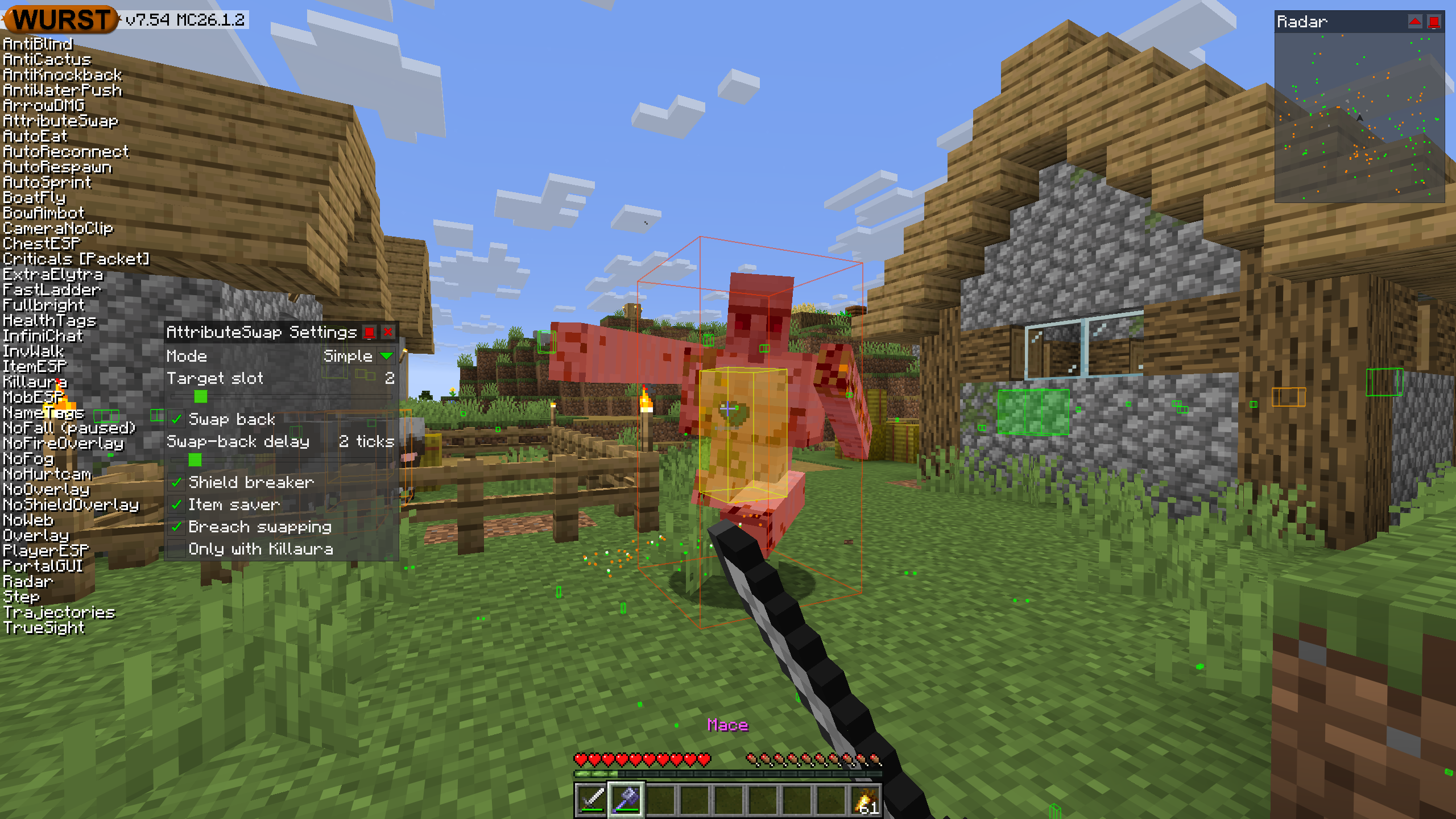
Added AttributeSwap: Quickly swaps items when you attack, allowing you to save durability on your weapon or do a variety of different PVP techniques. (#1333, #1305, #1275, /d/982, /d/1004, /d/1177, /d/1402, /d/1456, /d/1471, /d/1493, /d/1501)
-
Fixed the game crashing on startup when Better Block Entities version 1.3.2 or 1.3.3 is installed. However, Opacity X-Ray will still not work when using those BBE versions. (/d/1583, #1340, /d/1591)
-
Fixed NoSlowdown not letting you start sprinting during item use unless AutoSprint is also enabled.
-
Fixed NoShieldOverlay no longer lowering the shield while blocking. (/d/1556)
-
NoShieldOverlay now also supports custom shield items from datapacks (e.g. swords on some PVP servers).

-
Added automated tests for NoShieldOverlay to make sure the above two changes don’t break in the future.
-
Fixed Follow, Protect, and RemoteView no longer being able to detect when the entity they are following/protecting/viewing no longer exists, e.g. after you got kicked and reconnected.
-
Fixed NoFog no longer removing edge-of-world fog when Sodium is installed. (/d/1556)
-
Fixed Fullbright in Night Vision mode not working when BadOptimizations is installed.
-
The “Filter pets” setting used in various hacks now handles all of the weird pets too.
-
Fixed “Filter pets” settings getting fooled by the fake
tamedflag that wild camels have. Instead, camels now count as pets if they have a saddle equipped. -
Skeleton horses are still considered pets if tamed, even though they’ll usually self-tame when you walk up to them for the first time. This is because, unlike camels, the
tamedflag on skeleton horses actually works (and works a little too well, see MC-102949), so it’s good to know when that flag is missing. -
Pigs and striders now count as pets if they have a saddle equipped, instead of never being pets just because they don’t use the normal taming system.
-
Foxes and ocelots now count as pets if they trust someone, instead of never just because they don’t use taming.
-
Happy Ghasts now count as pets.
-
Added automated tests for the “Filter passive water mobs”, “Filter babies”, and “Filter pets” settings, so the next time Mojang changes the (very inconsistent and confusing) rules for how these mobs work, it shouldn’t just quietly break the filters.
Included Features
Default Keybinds (14)
These are the default keybinds when you first install Wurst. All of them are fully customizable!
- B → FastPlace & FastBreak
- C → Fullbright
- G → Flight
- ; → SpeedNuker
- H → /home
- J → Jesus
- K → MultiAura
- N → Nuker
- R → Killaura
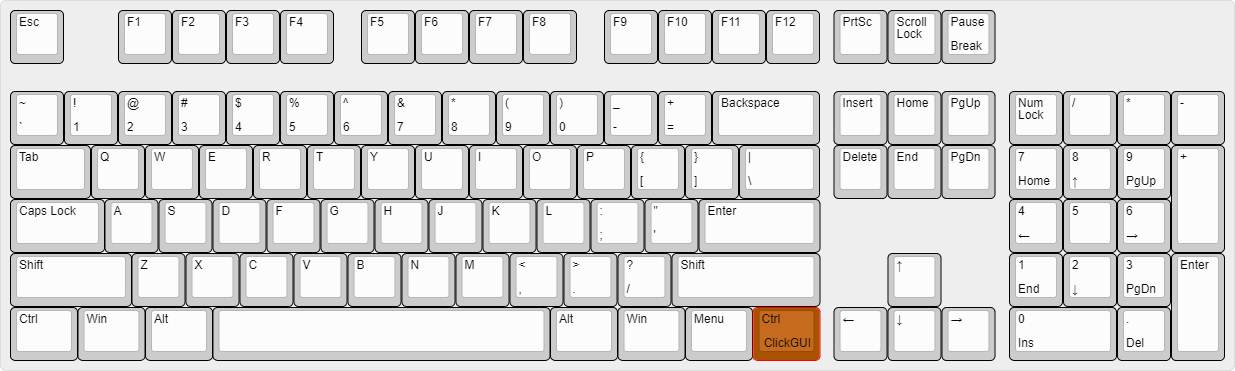
- Right CTRL → ClickGUI
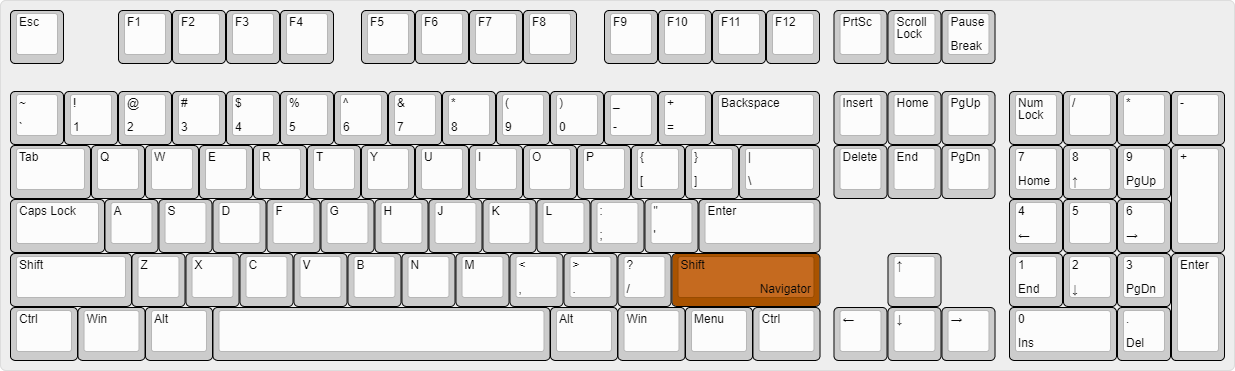
- Right SHIFT → Navigator
- U → Freecam
- X → X-Ray
- Y → Sneak
GUIs (3)
Wurst has more than just one GUI. You can choose whichever one you like best.
ClickGUI
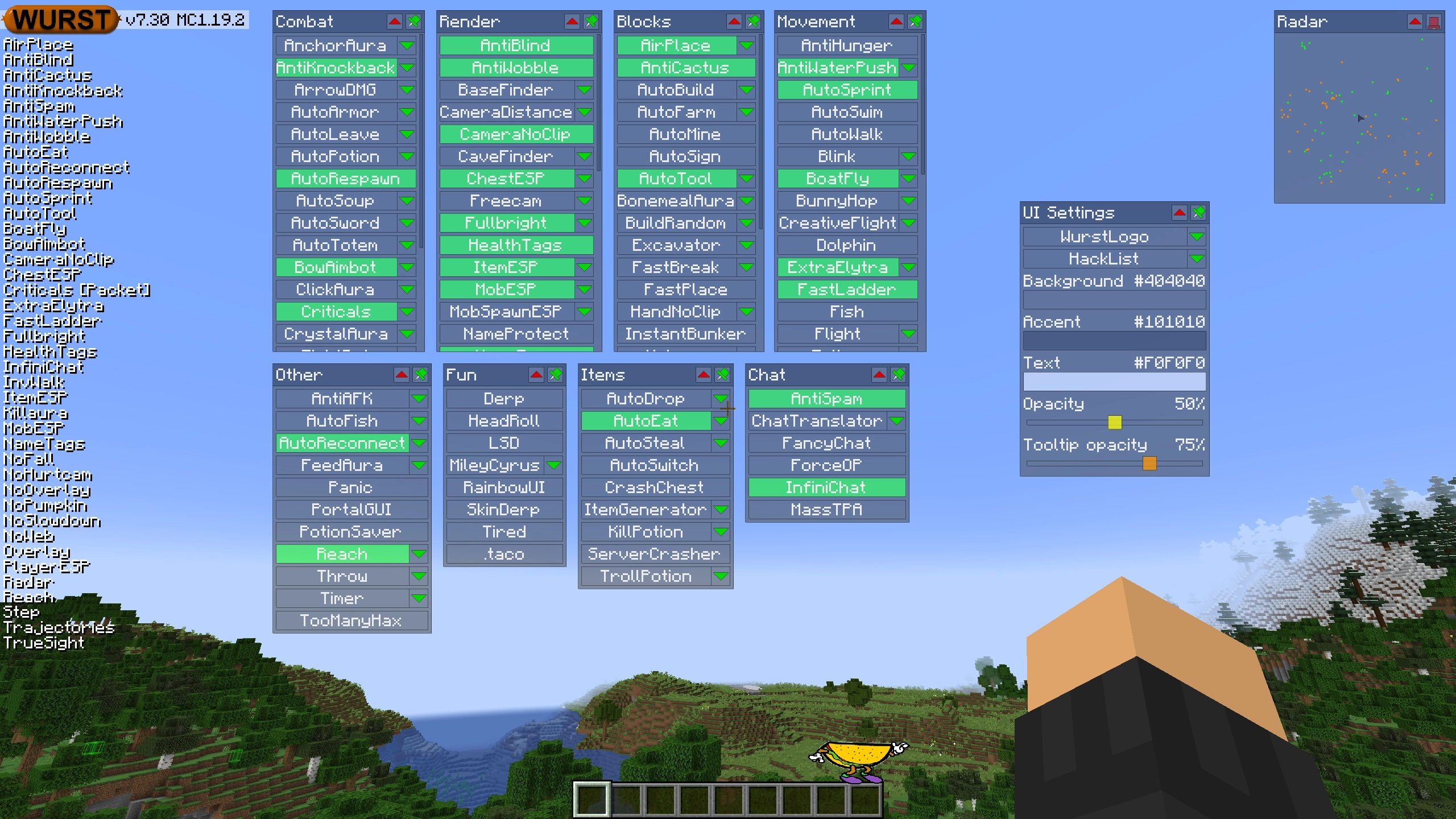
ClickGUI opens with the Right CTRL key. When opened, it displays a window for each category, which then contains a list of every feature in that category.
Navigator
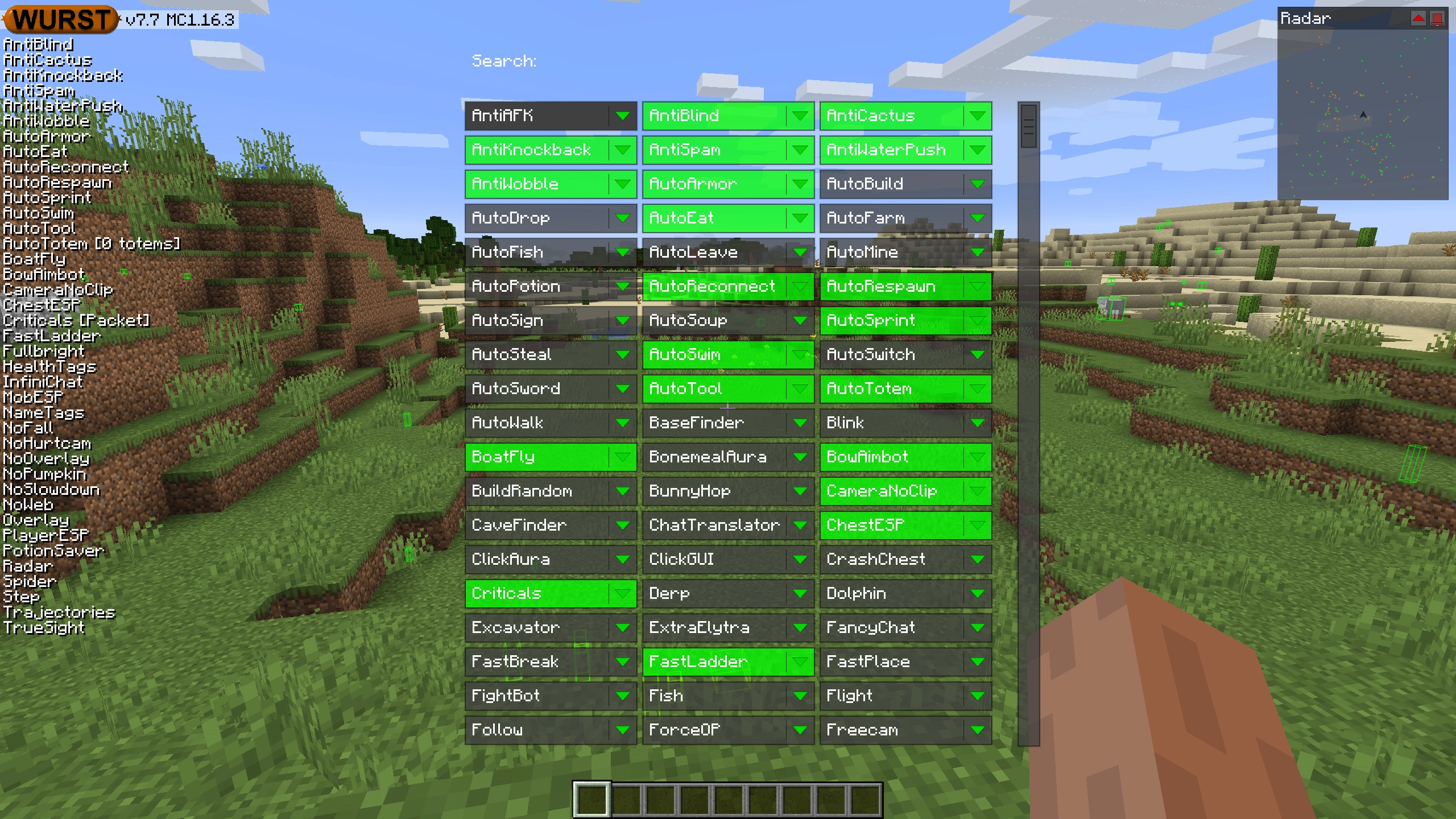
Navigator opens with the Right Shift key. When opened, it displays a searchable list of every feature in Wurst.
TabGUI
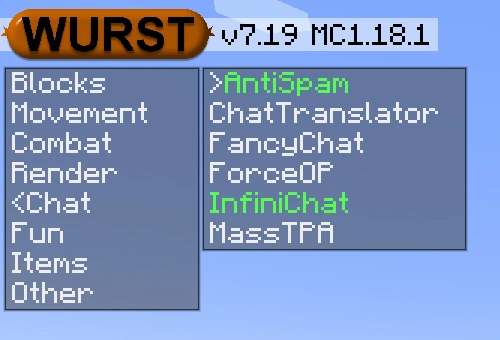
TabGUI does not have a default keybind. You can enable it by opening the Navigator GUI and searching for "TabGUI" (don't worry, you only need to do this once).
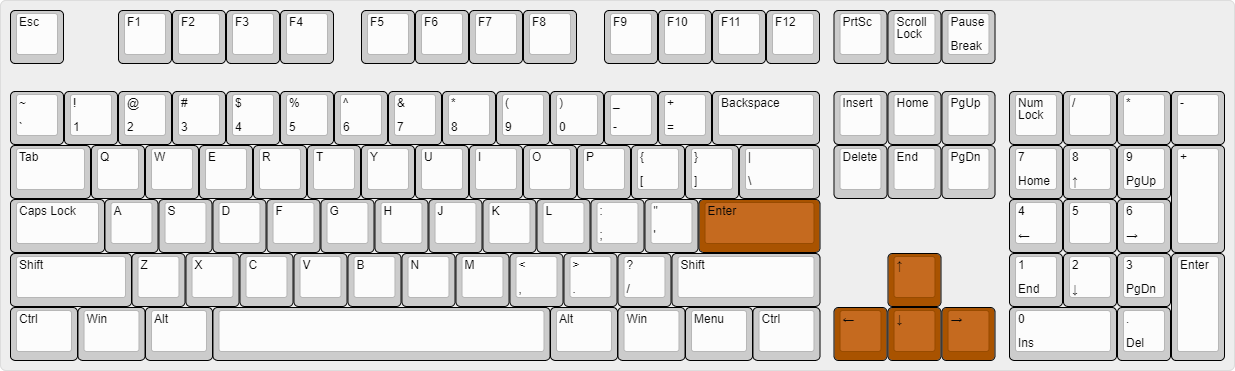
Once enabled, you can use TabGUI with the Arrow Keys to change the selection and Enter to toggle the selected feature.
Supported Languages (15)
Translations are unfinished and thus disabled by default. Go to Wurst Options → Translations to enable them.
- Chinese (Simplified/Mainland)
- Chinese (Traditional/Taiwan)
- Chinese (Cantonese/Hong Kong)
- Czech
- English (US)
- French
- German
- Italian
- Japanese
- Korean
- Polish
- Romanian
- Russian
- Turkish
- Ukrainian
 Fabric API
v0.152.1+26.2
Fabric API
v0.152.1+26.2